View Features and Attributes
Because web maps contain so much information, it is important to know how to find it. For example, you may want to find what the zip code is for a property you have just bought.
To view a feature at a point on the map:
- Do one of the following:
-
Right-click the feature and select What’s Here.
or
-
Click Point Identify on the Toolbar, and then click a feature on the map.
A list of features at that location displays in the Results panel.
-
Click a feature in the Results List to display a Map Tip with details about that feature.
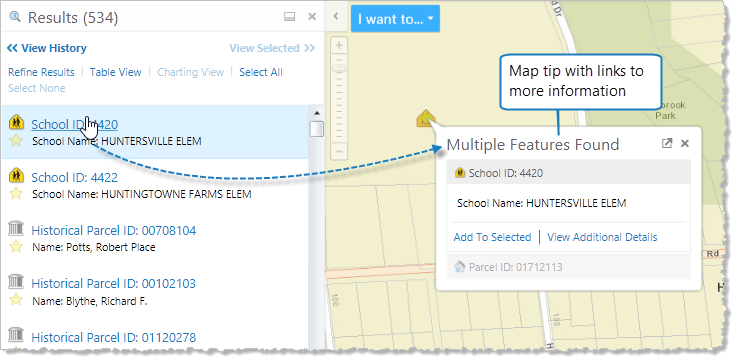
Point Identify used to find information about a feature on the map
The map tip contains the following links:
- Add To Selected: Selects this feature and adds it to the list in the Results List so that you can return to it later.
-
View Additional Details: Opens a window with more detailed information on this feature including links that allow you to zoom or pan to the feature, create a report, copy the feature and add it to the Results List.
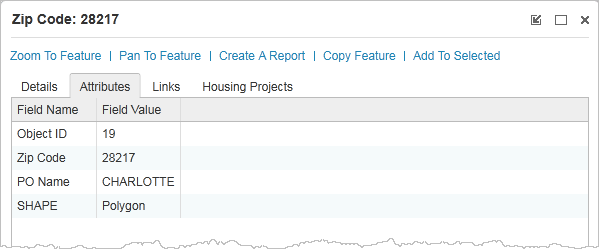
View Additional Details window with detailed information and links