Use the AdvancedcQuery Builder
The Advanced Query Builder tool make it possible for you build complex queries without knowing how to write SQL statements. First you select the layer you want to query, and then you select the records or fields that you wish to query as well as the operator and the value. You can also add multiple conditions to the query. When you run the query, the results display in the Results List like all other searches.
To build a query using the Advanced Query Builder:
-
On the toolbar, click Query.

The Query Builder opens in the Information Pane.
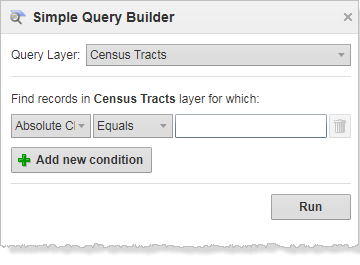
-
From the Query Layer drop-down list, select the layer that you want to query.
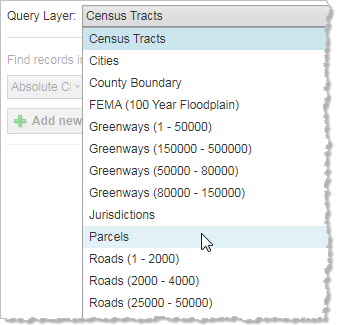
- From the Field drop-down list, select the field that you want to be in the first part of your query statement, for example, Owner Last Name.
-
From the Operator drop-down list, select the operator, for example, Starts with.
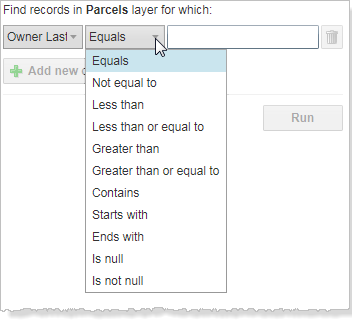
-
In the Value field, type in the value you want to query, for example "Smi".
As you type, a list of possible options for this value displays.
- If you want to make the statement more specific, click Add new condition and define another set of parameters.
- To remove a condition, click the Remove Query Condition icon
 .
. -
Click Run.
The results of the query display in the Results List.
