Run a Standard Search
To run a search:
- In the Search box, type the name of the feature you want to find.
-
Click the search icon in the right hand corner of the screen
 to run the search.
The results of the search display in the Results List.
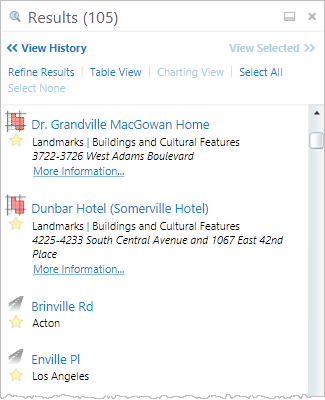
Results of a search listed by layer
See also...